November 16 2026 Update — Throw Key for Cars
What we know from the Roblox live timestamp, and the player checklist to run after any silent patch.
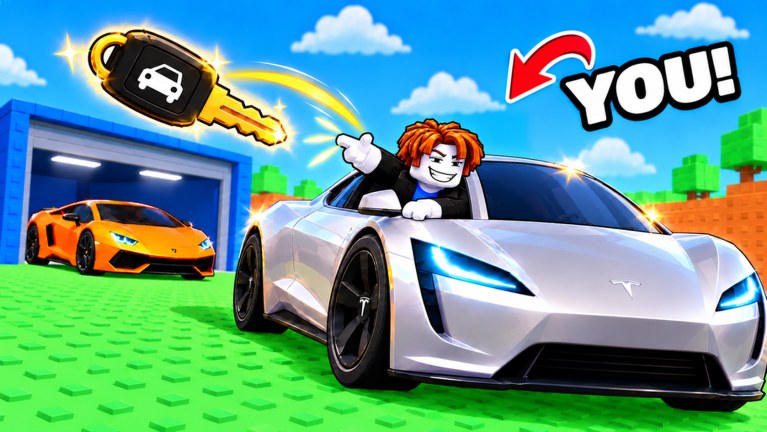
Throw Key for Cars by VEGA TRUTH received a live update on 2026-11-16 (Roblox API timestamp 2026-11-16T14:53:15). The experience itself launched on 2026-10-29 on place 115599018087832. This page is the dated child of the Updates Hub: it records the known live change, refuses to invent unpublished patch bullets, and gives you a practical checklist so your next session matches the current build.
Honest status: no public detailed changelog
At research time, no official long-form patch notes listing exact car names, key IDs, zone distance tables, or shop price deltas were published for players to copy. Roblox shows that the place updated; that is not the same as a studio blog with bullet-by-bullet balance notes.
This wiki will not invent:
- Specific car names that were “added” or “nerfed”
- Fake code strings tied to the Nov 16 drop
- Made-up Throw Power XP rates or key shop prices
- Zone distance numbers that were never posted
If VEGA TRUTH later posts a real changelog on the Roblox page, group shout, or Discord, we will tighten this article. Until then, treat Nov 16 as a live build bump and verify systems yourself with the checklist below.
Snapshot around research time
These live stats help you judge how busy the game felt when the update landed. Numbers move every hour; use them as context, not as fixed leaderboard claims:
- Concurrent players around research: ~9,387
- Visits: ~2,147,695
- Favorites: ~180,002
- Server capacity: maxPlayers 5
- Genre framing: Simulation / Tycoon
Small five-player servers mean you still get plot space even when the experience is trending. Peak concurrency does not mean crowded pads on your own plot.
What the official description still says
The published Roblox description for Throw Key for Cars still describes the same core loop after the Nov 16 bump:
- Throw a car key down the course.
- Win the car tied to the zone where the key lands.
- Park that car on your plot so it earns money over time.
- Buy better keys when you can afford meaningful upgrades.
- Train Throw Power on pull-up bars so later throws reach new zones.
Nothing in the public description replaced that loop with a new mode. Expect the same systems with possible silent balance, UI, or pool tweaks underneath. For first-hour order of operations, stay with Getting Started. For distance soft-gates, use Throw Power. For band planning, use Zones. For keeper hunting, use Rare Cars and the Cars Tier List. Plot cash pacing belongs on Plot Income.
Player-facing checklist after the Nov 16 live update
Run this list the first time you join after the timestamp. It replaces guessing at unpublished patch notes.
1. Confirm you are on a fresh server
Leave and rejoin if you were AFK across the update window. Soft-join into an old instance can leave you on pre-patch behavior for a few minutes. After a clean join, glance at shop labels, throw prompts, and plot UI for anything that looks moved or renamed.
2. Recheck codes before a long grind
Patches often drop or expire promo codes even when the studio never publishes a full note. Open the Codes Hub and try only strings that are confirmed there. No codes are confirmed for this update at research time. Do not paste random Discord or TikTok strings that claim “Nov 16 exclusive” without a live redeem success.
3. Retest your usual throw distance
Stand at your normal throw spot with your current key and Throw Power. Mark whether you still land in the same zone band you farmed before Nov 16. If you suddenly fall short or overshoot into a different band, treat that as a soft balance change and adjust training or key spend before you burn an hour on the wrong farm. Cross-check Zones and Throw Power after you have a few sample throws.
4. Audit parked plot income
Walk your plot and confirm every slot that should be earning still ticks. Empty pads, stuck cars, or a car that no longer feels worth its slot are common post-patch pain points in this genre. Replace obvious under-earners only after you compare against the Cars Tier List and the income habits in Plot Income. Do not sell a rare keeper just because a rumor said “everything was nerfed.”
5. Revisit key shop intent
Open the key shop and note prices and tiers with your own eyes. Buy only when a key helps you contest a better zone or rarer pool you can actually reach. A flashy key that still leaves you short of the next band is usually a worse spend than another Throw Power session. Pair shop decisions with Rare Cars once you are hunting high-end pulls again.
6. Train once, then throw again
Do a short pull-up session, then throw. The point is to feel whether training still moves distance the way it did on launch week. If the feel changed, log it mentally and keep your session plan flexible for a day or two while the community settles.
7. Skim the Updates Hub again tomorrow
Silent fixes and player reports often clarify the first evening after a live bump. Bookmark the Updates Hub and this Nov 16 page so you are not relying on a single Discord screenshot.
How this update fits the early-game timeline
- 2026-10-29 — Release. Full loop ships: throw, zone car, plot park, key shop, Throw Power training.
- 2026-11-16 — Live update timestamp on Roblox. Public detailed changelog not found; use the checklist above.
If you joined after Nov 16, you are not “behind” a separate tutorial era. Start at Getting Started, then specialize into distance, zones, rares, plot cash, and tiers as your bottleneck appears.
Gameplay context video
The embedded video (I THREW a KEY to UNLOCK SUPER CARS in Roblox! by Dude BlooooX, id F-71ou089p8) is gameplay context, not an official patch note. Use it to see the throw → unlock → car fantasy in motion while you run the checklist. One video per page; do not treat creator commentary as a substitute for the Roblox update timestamp or for empty code tables.
What to do next on this wiki
- Redeem safely → Codes
- Rebuild the first session → Getting Started
- Fix distance → Throw Power
- Plan landing bands → Zones
- Chase keepers → Rare Cars
- Grow passive cash → Plot Income
- Rank park slots → Cars Tier List
- Timeline spine → Updates Hub
Stay skeptical of rumor tables until the studio posts numbers. The Nov 16 live update is real on Roblox; the honest player response is to retest throws, plots, keys, and codes—not to memorize fan-made patch fiction.
Frequently Asked Questions
Quick answers to the most common Throw Key for Cars questions.
When did the November 16 2026 Throw Key for Cars update go live?
Roblox recorded a live update timestamp of 2026-11-16T14:53:15 for the experience. Always rejoin a fresh server after that window.
Is there an official detailed changelog for this patch?
No public long-form changelog with car names, code strings, or exact balance tables was found at research time. Use the player checklist on this page instead of invented patch bullets.
Were new codes confirmed with the Nov 16 update?
No codes are confirmed for this update. Check the Codes Hub and only redeem strings verified there—do not trust random social pastes.
What should I test first after joining post-update?
Retest your usual throw distance, confirm plot income is still ticking, glance at the key shop, train Throw Power once, then recheck codes before a long grind.
Did the core game loop change on Nov 16?
The official description still describes throw key → win car from zones → park on plot → buy better keys → train Throw Power. Treat the update as a live build bump unless the studio publishes a new mode.
Where do I go after reading this update page?
Use Getting Started if you are new, Throw Power and Zones if distance is the bottleneck, Rare Cars and the Cars Tier List for keepers, Plot Income for cash pacing, and the Updates Hub for the timeline.