Throw Key for Cars Controls
How to aim and throw keys, train on pull-up bars, park cars, and open menus on PC and mobile.
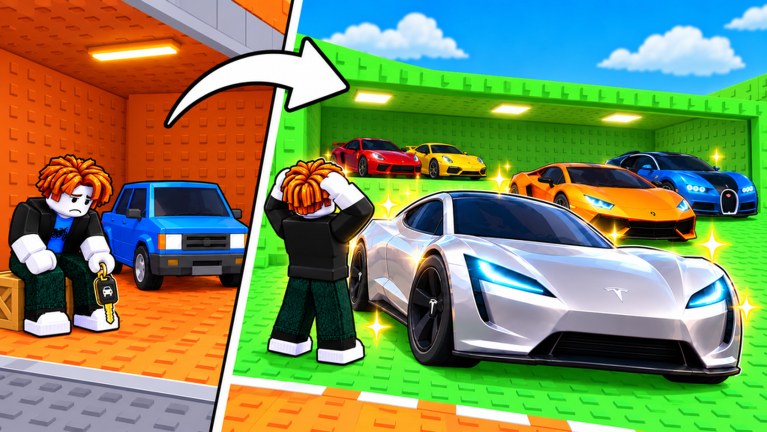
Throw Key for Cars is a Roblox simulation tycoon: you aim a key, throw it into a distance zone, claim the car you win, park it on your plot for money, then train Throw Power and buy better keys. This page covers typical PC and mobile controls for that loop. Exact bindings can change with Roblox client settings, device layout, or a game patch—always check any on-screen hints in your session and rebind in Roblox settings if a key conflicts.
If you are brand new, pair this page with the Getting Started guide, then return to the Players Hub for early/mid/late strategy.
Honest note on bindings
Roblox experiences often reuse familiar patterns (WASD move, click/tap to interact, hold to charge) but do not always publish a fixed control sheet. Throw Key for Cars follows that pattern: movement feels like standard Roblox, while throwing, parking, and pull-up training use experience-specific prompts. Treat the tables below as a practical map of what you will do, not as a guarantee that every key letter matches every device forever.
Movement and camera (PC and mobile)
| Action | PC (typical) | Mobile (typical) |
|---|---|---|
| Move | WASD or arrow keys | Virtual joystick |
| Jump | Space | Jump button |
| Camera | Right mouse drag / mouse look | Touch-drag on empty screen |
| Interact / talk to NPCs or prompts | E or click proximity prompt | Tap the on-screen prompt |
Walk close to pull-up bars, parked-car pads, shops, and code or menu boards until a prompt appears. If nothing shows, rotate the camera—some prompts only appear when you face the object.
Throwing keys — aim and release flow
The throw is the skill ceiling of the game. A typical flow looks like this:
- Equip or select the key you want to throw from your inventory or hotbar.
- Face the zone lane you are aiming for; check that your current Throw Power can reach that distance.
- Enter throw / aim mode when the experience prompts it (often click or a dedicated throw button).
- Hold to charge power or arc, then release to throw. A cleaner release usually lands closer to your intended stud distance.
- Watch where the key lands. Zone membership decides which car pool you roll from—short throws stay in starter bands; farther landings unlock stronger pools.
PC throw tips
- Use a stable mouse sensitivity so small aim adjustments do not overshoot the lane.
- Charge with a consistent hold time; rushing the release is the most common early mistake.
- After a throw, wait for the result UI before spamming another input—double inputs can cancel claims or feel like a miss.
Mobile throw tips
- Keep thumbs clear of the charge slider or throw button so you do not cancel mid-hold.
- Zoom the camera enough to see zone markers; tiny screens make distance judgment harder.
- If touch controls feel sticky, switch to a landscape orientation and lower graphics slightly for a smoother charge bar.
Practice short throws into the nearest zone until landings feel repeatable, then step distance up. Strategy for when to train versus when to buy keys lives on the Players Hub and the Throw Power guide linked from there.
Pull-up bars — training Throw Power
Throw Power is raised by interacting with pull-up / training bars on or near your plot and world gyms. Typical flow:
- Walk up to a bar you own or can use.
- Trigger the proximity prompt (E / tap).
- Stay in the training animation or minigame until XP ticks; leaving early wastes the trip.
- Buy better bars when your cash supports faster XP—higher bars usually beat grinding a weak starter forever.
You do not need perfect throws while training, but you do need uninterrupted interaction time. Plan training blocks between throw sessions so you are not constantly walking back and forth empty-handed.
Parking cars and managing the plot
Winning a car is only half the loop. You still need to park it on a free plot slot so it generates money.
| Action | What to do |
|---|---|
| Claim / collect won car | Follow the post-throw success prompt or collect UI |
| Move to plot | Walk or use any in-experience teleport the game provides |
| Park | Stand on an empty pad and confirm the park prompt |
| Replace a weak car | Remove or sell the low earner first if slots are full, then park the upgrade |
Empty pads earn nothing. Mid-session, glance at your plot before another long throw streak so you are not capping wins you cannot park.
Menus, shops, and codes
Shop boards, key vendors, and code redemption UIs are usually opened via proximity prompts or a top-bar button. On PC, click the labeled GUI; on mobile, tap the same icons. Redeem codes from the Codes Hub whenever a patch drops—menus sometimes move after updates, so scan the HUD if a familiar button is missing.
Roblox Esc / menu still opens the platform pause overlay (leave experience, settings, player list). That is separate from the game’s own shop and code windows.
Troubleshooting common control issues
- Throw does nothing: Confirm a key is equipped and you are not already inside another prompt (shop, dialogue, training).
- Cannot park: Check for a free pad and that you actually claimed the car from the throw result.
- Pull-up prompt missing: Face the bar, step closer, and ensure another player is not occupying a single-use spot in a busy server (max players is small—five—so congestion is rare but possible).
- Mobile tap ignored: Move UI scale in Roblox settings; overlapping buttons are a common mobile issue.
Next steps
Once controls feel natural, follow Getting Started for your first-hour economy plan, then use the Players Hub to choose an income-focused or Throw Power-focused build. Revisit this page after major patches if VEGA TRUTH changes prompts or adds new training devices.
Frequently Asked Questions
Quick answers to the most common Throw Key for Cars questions.
Are these keybinds guaranteed?
No. They describe typical Roblox and in-experience patterns. Always trust on-screen prompts and your Roblox keybind settings if something differs.
How do I throw farther?
Raise Throw Power on pull-up bars, use a full controlled charge, and aim into farther zones only when your power can reach them. See the Players Hub for training versus income priorities.
Can I play on mobile?
Yes. Use the virtual joystick, on-screen throw/charge controls, and tap prompts for parking and training. Landscape mode usually helps aim.
Where should beginners go next?
Read Getting Started, then the Players Hub for early-game strategy.